Connecting Devices With Ethernet
Wi-Fi is extremely handy for portable devices however it is not without its downsides.
See Improving Wi-fi Performance and Improving Wi-fi Coverage
The best performance will always be achieved over a cabled connection, particularly for connections that require low latency such as:
- Online Gaming devices
- Work computers using VPN’s or Video Calling
- Smart Televisions streaming TV services.
What you need
- The device will require an Ethernet socket
- You will need a spare LAN port on your router, switch or access point
- A spare Ethernet cable
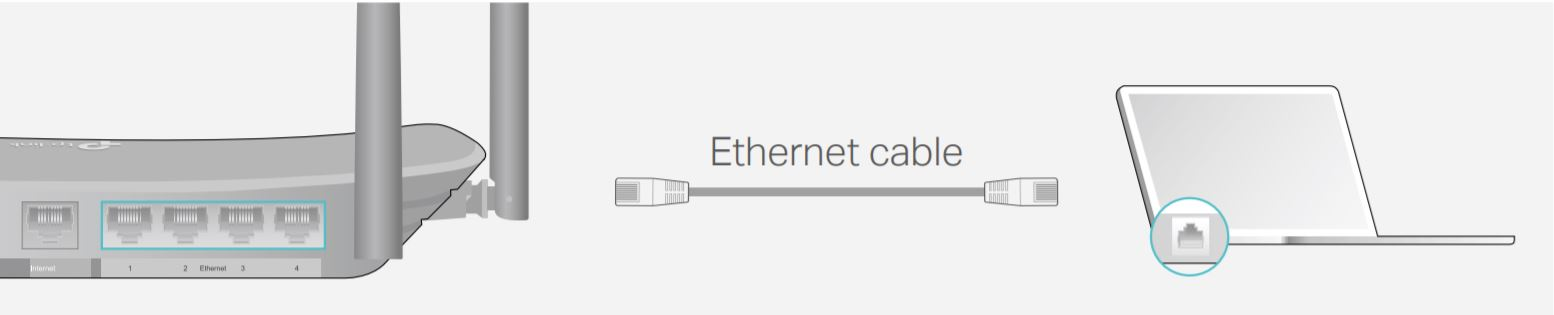
Simply connect one end of the Ethernet cable into your device and the other end into a LAN port on your Router, Switch or Access Point.
Most devices should automatically recognise the Internet connection but you may find that games console require you to select 'Ethernet' during the network setup.
Ethernet Cable Information
Not all Ethernet cables are created equal.
If you have any Ethernet cables lying around the house they would more than likely be either CAT5 or CAT5e which are fine the majority of uses.
If you have a connection with speeds above 100Mbps you will however need to make sure that you are using a minimum of CAT5e for the full throughput speeds.
Avoid using CAT4 cables if possible as they have lower throughput than all of our Internet service packages.
Cable categories
| Cable Category | Cable Speed (up to) |
| CAT4 | 16Mbps |
| CAT5 | 100Mbps |
| CAT5e | 1000Mbps (1Gbps) |
| CAT6 | 10Gbps |
All Ethernet cables have a maximum distance of 100 meters (328 feet) before throughput and quality is degraded
Was this article helpful?
That’s Great!
Thank you for your feedback
Sorry! We couldn't be helpful
Thank you for your feedback
Feedback sent
We appreciate your effort and will try to fix the article