Fast Broadband Outdoor Radio & Power Unit
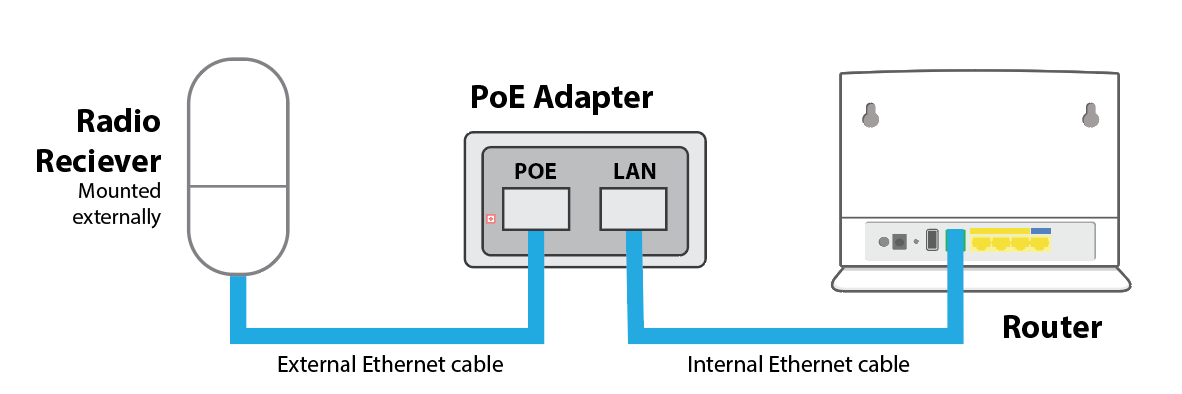
Fast Broadband uses WiMAX wireless technology. A small radio receiver is installed outside your property (usually on the chimney or roof apex). A single shielded Ethernet cable runs into your home and connects to a PoE (Power over Ethernet) unit and your indoor router.
Our engineers install and configure all equipment for you. These checks are useful if:
- You have moved into a property with an existing WiMAX installation
- You are reconnecting equipment
- You are troubleshooting a connection issue
How to Check Your Setup
1. Locate the external cable entry
- Find where the outdoor radio cable enters the property
- You can usually trace it from the outside antenna through the wall
2. Find the PoE power unit
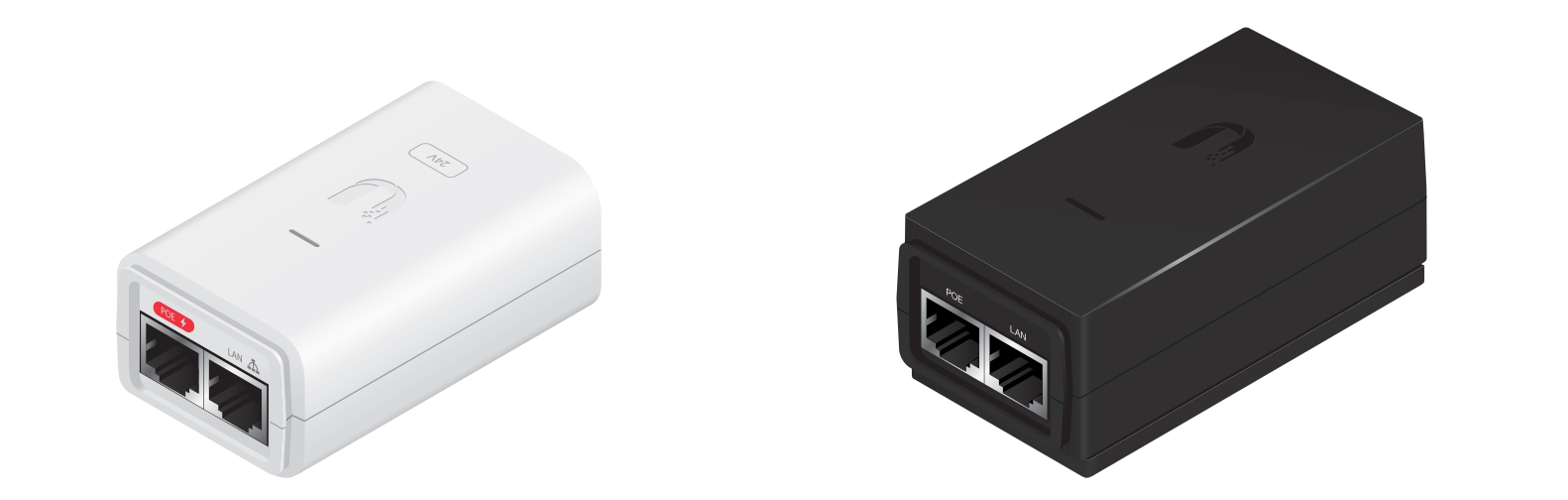
- Inside the property, locate the PoE injector
- It must be plugged into a power socket
- A light on the unit should be on when powered
If there are no lights:
- Check the wall socket is switched on
- Try a different power socket
3. Check the PoE connection
- The cable from the outdoor radio must be connected to the port marked PoE
4. Connect the LAN cable
- Plug an Ethernet cable into the port marked LAN
5. Connect the router
- Plug the other end of the Ethernet cable into the router’s WAN / Internet port
6. Power the router
- Connect the router power cable
- Switch it on
- Router lights should come on within one minute
Was this article helpful?
That’s Great!
Thank you for your feedback
Sorry! We couldn't be helpful
Thank you for your feedback
Feedback sent
We appreciate your effort and will try to fix the article